How LLM Quantization Works: 4-Bit, 8-Bit Tradeoffs
Swarnava Dutta12 min read
LLM Model Quantization4 Bit LLM Quantization8 Bit LLM Quantization
Contents

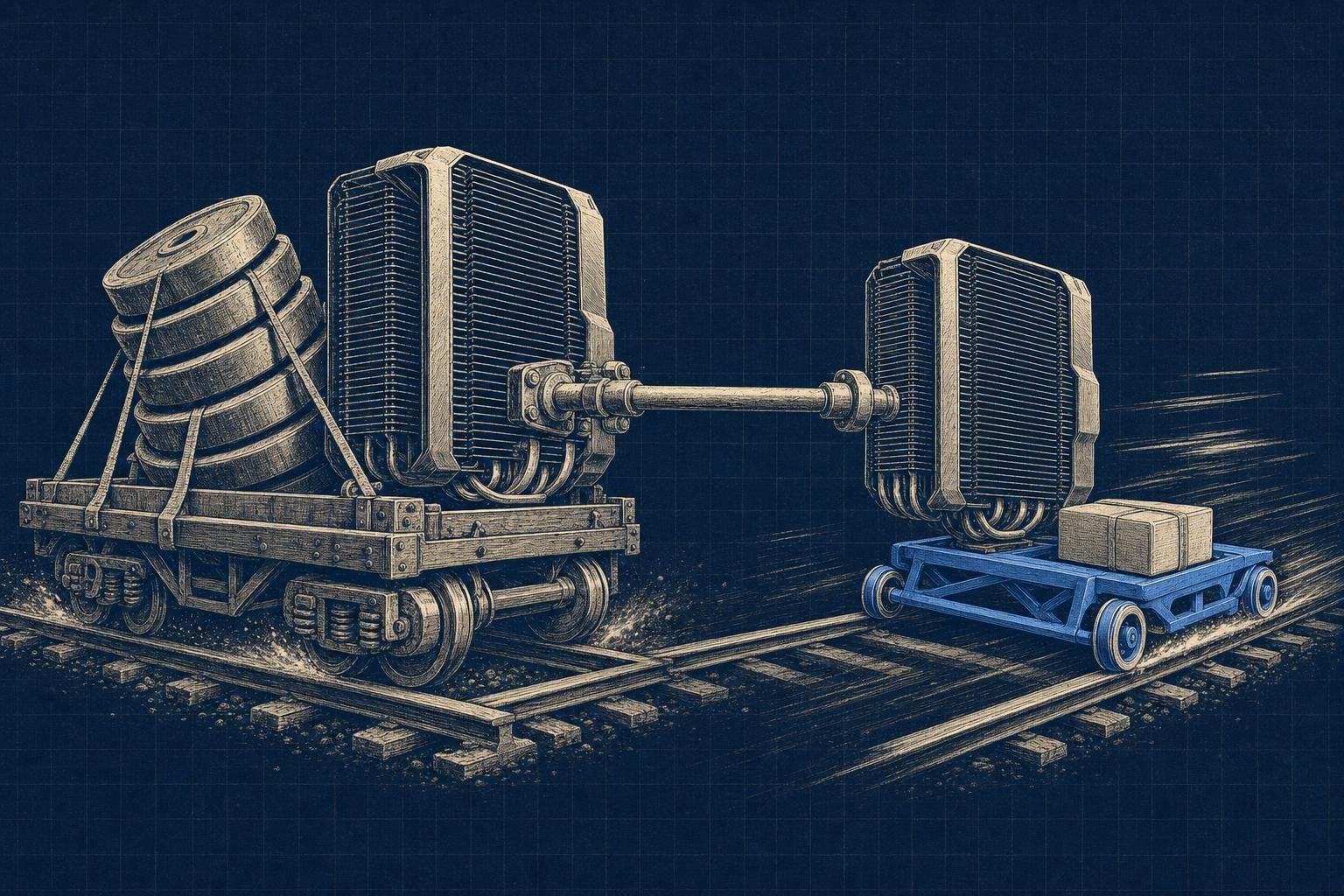
Shrinking a 13B model to 4-bit is the kind of win that looks finished long before it is. At FP16 that model needs roughly 26GB just for weights (13 billion params × 16 bits ÷ 8), and quantizing to 4-bit should get you to roughly a quarter of that plus some scale metadata - enough to fit on a single consumer GPU. The catch shows up on the eval set: a model that named functions correctly at full precision can start hallucinating them once the weights are rounded down.
That gap between "it fits" and "it still works" is the whole story of how LLM quantization works, and it's why people get burned deploying it blind. Fewer bits per weight means less memory and often faster inference, but the rounding you introduce along the way can quietly wreck accuracy if you don't respect where and how you apply it.
This guide walks through the mechanics: how weights convert from floating point to lower-bit integers, what separates post-training quantization from quantization-aware training, and how formats like GGUF, GPTQ, and AWQ differ under the hood. By the end you'll have a decision framework for picking a precision and format for your own hardware, not just a vague sense that "4-bit is smaller."
Quick answer
LLM quantization stores model weights in fewer bits than training used, mapping FP16 values onto integer levels with a scale factor and zero-point. A 7B model's weights need roughly 14GB at FP16 and near 3.5GB at 4-bit. 8-bit is the conservative choice; 4-bit is the default compromise for local inference on consumer GPUs. GGUF is a file format; GPTQ and AWQ are quantization methods.
What Is LLM Quantization, and Why Quantize an LLM?
At its core, LLM quantization means storing a model's parameters in fewer bits than they were trained with, and sometimes doing the same to activations or the KV cache during inference. A model trained in FP32 uses 32 bits per weight; most training today happens in FP16 or BF16, which halve that footprint while keeping enough dynamic range to avoid gradient chaos - a precision choice covered in more depth in how large language models work. Quantization pushes further, down to INT8 or INT4, though "INT" is a bit misleading since many schemes still use scale factors and sometimes small floating-point lookups rather than pure integer math end to end.
Why bother? Mostly economics: less memory means a 13B model fits on a single consumer GPU instead of needing multiple data-center cards, and lower bandwidth demand often translates to faster token generation, not just a smaller checkpoint.
There's also a split between weight-only quantization, which compresses stored parameters but computes in higher precision, and weight-and-activation quantization, which compresses both for extra speed at higher accuracy risk. That distinction matters more than raw bit count, and it's the thread the rest of this guide pulls on.
How LLM Quantization Works: Scale, Round, and Recover
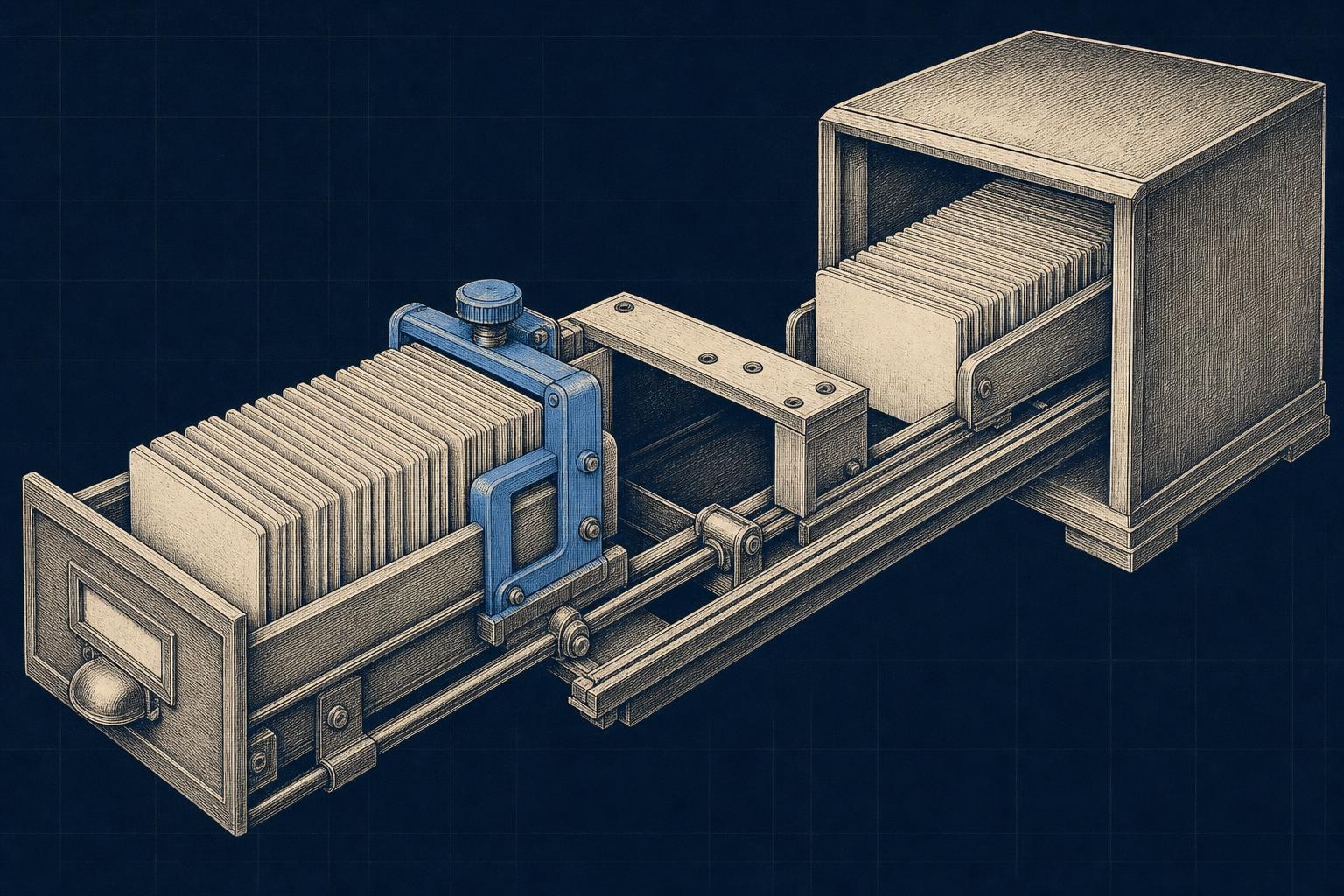
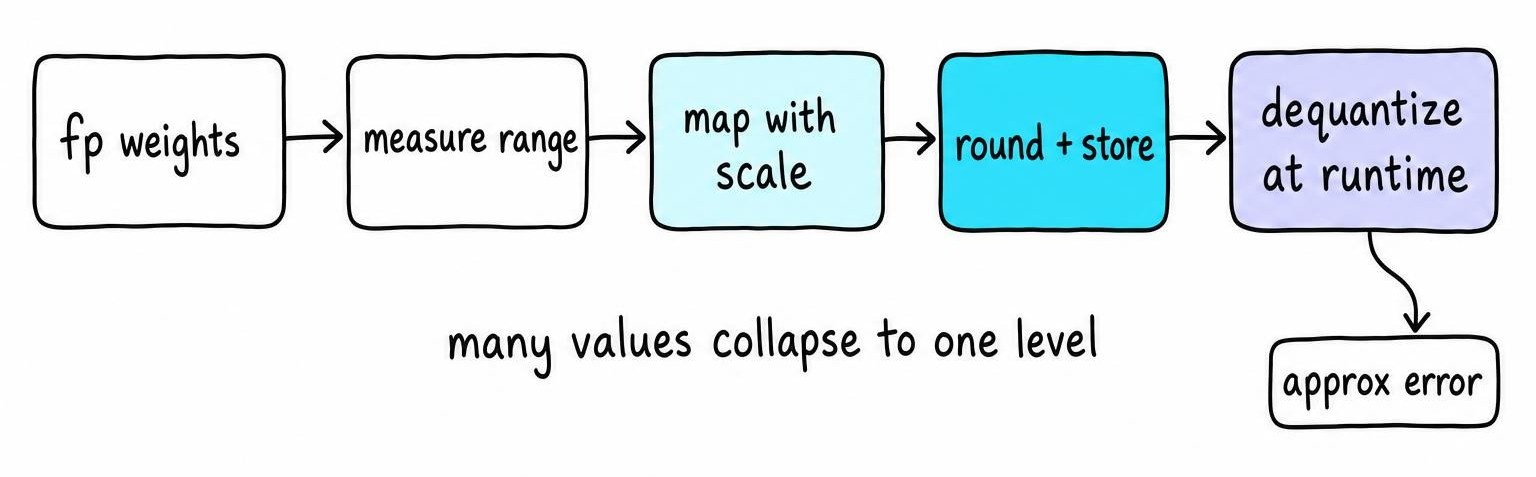
Take one row of weights, say a few thousand FP16 values clustered between -0.4 and 0.6. Quantization first measures that range, then maps every value onto a small set of discrete integer levels, storing a scale factor and a zero-point so the process can be reversed. The math is simple: q = round(x / scale) + zero_point, and at inference time you recover an approximation with x ≈ scale × (q − zero_point).
That "approximation" matters. Compressing a continuous range into a handful of discrete levels means many distinct original values collapse onto the same stored integer, and that rounding error is the raw material every quantization technique tries to manage.
Per-Tensor, Per-Channel, and Group-Wise Quantization
The cheapest approach uses one scale for an entire weight tensor. It's fast and simple to store, but a single outlier weight can blow out the range and squash resolution for everything else in that tensor.
Per-channel quantization gives each output channel its own scale, and group-wise quantization goes further, assigning a scale to every 32 or 128 weights. Smaller groups track local value distributions better, which is generally why group-wise schemes beat per-tensor ones on accuracy - at the cost of metadata overhead and a calibration pass that decides where to clip outliers.
Runtime Dequantization and Quantized Compute
Some runtimes unpack low-bit weights back to FP16 right before a matmul; others use specialized kernels that operate on packed 4-bit or 8-bit values directly. Storage precision, compute precision, and accumulation precision are separate knobs, and real speedups depend on kernel support, batch size, and memory bandwidth on your specific hardware - not bit width alone.
Post-Training Quantization vs Quantization-Aware Training
Post-training quantization takes a fully trained model and quantizes it afterward, no retraining involved. You run a small calibration set through the model, watch the activation ranges it produces, and use that to pick scales and clipping points before rounding the weights. It's cheap - often minutes on a single GPU - which is why most people default to PTQ first.
Quantization-aware training simulates rounding noise during training or fine-tuning, so the model's weights adjust around the quantization error instead of getting blindsided by it later. That costs real compute and a training pipeline, so it's usually reserved for aggressive low-bit targets or workloads with strict accuracy floors that PTQ can't clear.
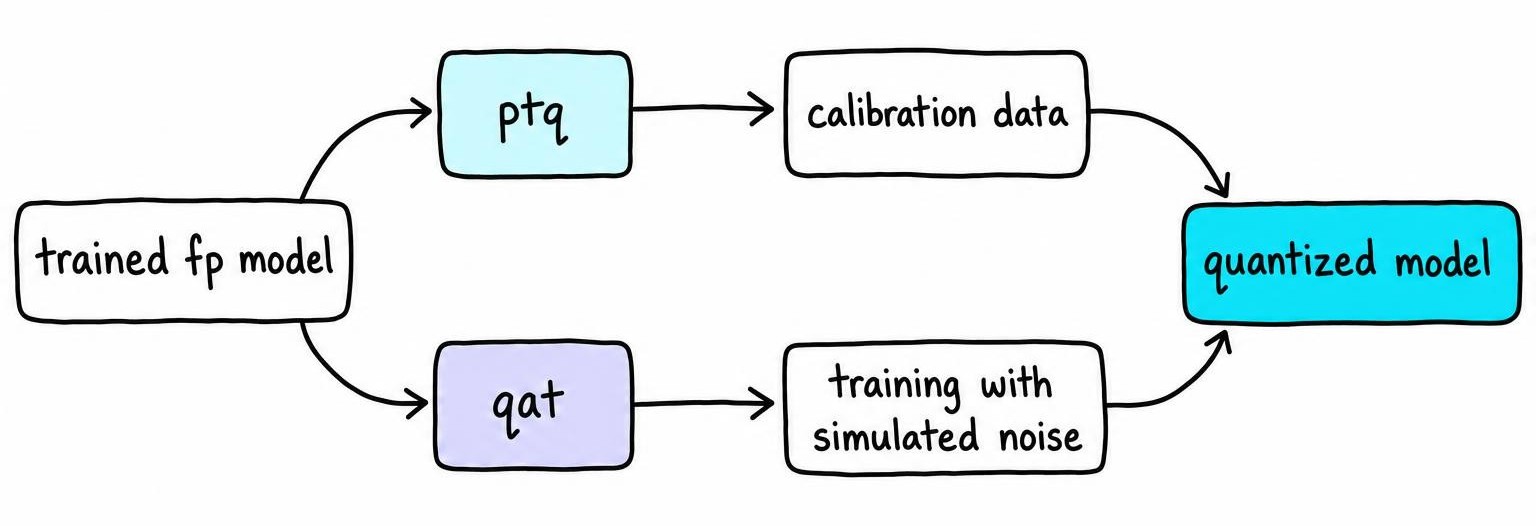
Between the two extremes sit reconstruction-based PTQ methods, which minimize layer-by-layer output error rather than just matching ranges. They tend to hold up better than naive range-matching calibration at the same bit width, though how much better depends heavily on the calibration set, so the gap is worth confirming on your own data rather than assuming it.
Don't confuse QAT with QLoRA - QLoRA fine-tunes a quantized base model using low-rank adapters, which is a memory-saving fine-tuning trick, not a quantization technique itself.
8-Bit, 4-Bit, and Lower-Bit LLM Quantization Compared
Start from FP16 or BF16 at 2 bytes per parameter - a 7B model needs roughly 14GB for weights alone before KV cache and activation buffers. INT8 halves that to around 7GB and is the conservative choice, since it still captures most of a weight distribution's shape.
4-bit quantization gets that same 7B model near 3.5GB, and it's become the default compromise for local inference on consumer GPUs. Group size, calibration quality, and outlier handling matter far more here than at 8-bit - a bad calibration set turns a perfectly good 4-bit model into one that repeats itself mid-sentence.
Below 4-bit - 3-bit, 2-bit, and mixed-precision schemes that keep a few sensitive layers higher - quality gets shaky fast without specialized training or aggressive outlier isolation. These sub-4-bit methods pair better with quantization-aware training than with naive post-training rounding.
Sensitivity isn't uniform, either:
- Larger models tend to tolerate aggressive quantization better than small ones, though that is a tendency rather than a hard rule across architectures.
- Attention layers tend to be more fragile than feed-forward blocks.
- Generation tasks degrade faster than classification-style tasks at the same bit width.
GGUF, GPTQ, and AWQ: Methods, Formats, and Runtimes
People throw these three names around like interchangeable options on a dropdown. They're not - GGUF is a file format and container ecosystem, while GPTQ and AWQ are quantization methods that produce weights you then have to load somewhere.
GGUF grew out of the llama.cpp project and targets CPU, GPU, and hybrid inference on anything from a laptop to a small board with a GPU bolted on. Inside GGUF you'll see K-quant variants like Q4_K_M or Q5_K_S, encoding different group sizes and bit allocations specific to that ecosystem - they don't map cleanly onto GPTQ's naming.
GPTQ is a post-training method built for GPU inference, quantizing layer by layer to minimize reconstruction error, and it pairs with GPU-only serving stacks. AWQ takes a different angle: it identifies which weights matter most for activations and protects them from aggressive rounding [1]. I'd reach for AWQ first at 4-bit when generation quality is the priority, but treat that as a starting preference to test against your own calibration data, not a benchmark result.
Pick your runtime and target hardware first - format and kernel support decide whether you see the speedup, not the acronym on the file. Hand a GGUF checkpoint to a GPTQ-only serving stack and it simply refuses to load, and the error usually reads like a corrupt download rather than what it is: the format itself is the mismatch, not the file. Runtime gaps can also fail quietly instead of loudly, which is how a GGUF pair set up for speculative decoding drops back to ordinary sampling with nothing in the logs.
LLM Quantization Memory Savings, Speed, and Accuracy
Weight memory and total process memory aren't the same number, and this is where the "26GB down to 4-bit" math gets people. KV cache scales with context length and batch size independent of weight precision, framework overhead adds its own tax, and temporary dequantization buffers can spike memory mid-forward-pass. A 4-bit model's weights land near one-quarter of FP16 size, but total VRAM usage rarely drops that far once you add a long context window and the runtime's own scratch space.
Speed is similarly multi-dimensional. Prompt processing is compute-bound and benefits less from low-bit storage, while token-by-token generation is memory-bandwidth-bound and often benefits more, so one "tokens per second" number hides two different bottlenecks. Swapping an 8-bit model for a supposedly faster 4-bit one on an older GPU can push throughput down instead of up - when the kernel doesn't support that bit width natively it falls back to dequantizing on the fly, and the overhead eats the entire theoretical gain.
Accuracy effects show up as small benchmark drift, shifted token probabilities, more repetition, or specific reasoning failures rather than uniform degradation. That's exactly why validating the quantized artifact before shipping - covered below - matters more than trusting the file size.
How to Do LLM Quantization for a Target Device
Start with constraints, not tooling: available RAM or VRAM, CPU vs. GPU vs. mixed setup, target context length, expected concurrency, and a latency number you actually care about. Establish an FP16 or BF16 baseline first so you have something to measure drift against, then pick PTQ unless you've already hit an accuracy floor it can't clear.
Quantize with a tool built for your target runtime, use calibration samples that resemble real production traffic rather than a random public dataset slice, and save the tokenizer and config files alongside the weights. If quality tolerance is low, start at 8-bit; if memory or bandwidth is the real bottleneck, test 4-bit and measure before committing.
A Practical Precision and Format Decision Matrix
- CPU laptop, no GPU: GGUF, Q4_K_M as a starting point, llama.cpp runtime.
- Single consumer GPU (12-24GB): 4-bit GPTQ or AWQ, group size 128, GPU-only serving stack.
- Production GPU server, high concurrency: 8-bit weight-and-activation quantization for throughput with tighter quality margins.
- Quality-critical evaluation workloads: stay at FP16/BF16 or use QAT if you must compress.
Skip quantization when memory is abundant, your runtime lacks kernel support for the format, the workload is numerically sensitive, you're training from scratch, or you need bit-identical reproducibility.
How to Validate a Quantized LLM Before Deployment
A model that loads and generates coherent text can still fail your actual job silently. Measure the quantized artifact against your unquantized baseline using perplexity or task benchmarks, then run it through prompts pulled from real application traffic.
Push on the edges where low-bit rounding shows damage first, well before aggregate scores move:
- Long-context behavior and structured output validity
- Tool calling and multilingual prompts
- Multi-step reasoning and safety refusals
- Domain-specific terminology your users actually type
This discipline runs parallel to how you'd test LLM guardrails for the same deployment. On the hardware side, measure peak memory, time to first token, and generation throughput under real concurrency on the device you're actually shipping to. Set acceptance thresholds before you run the tests, and compare at least two quantization levels rather than assuming the smallest artifact wins.
Common LLM Quantization Mistakes and Their Fixes
Calibrating on a chunk of scraped web text instead of the application's own prompts, on the assumption that any English text will do for range estimation, is the fastest way to burn a quantization run. The scales come out fine on paper, but outputs on domain-specific queries get noticeably worse - the calibration data simply never saw the vocabulary the model needs to represent precisely at inference.
Other recurring failures:
- Trusting file size as memory prediction - measure actual VRAM under load, KV cache included.
- Wrong runtime for the format - GGUF weights won't load in a GPTQ-only server.
- Double quantization - quantizing an already-quantized checkpoint compounds rounding error invisibly.
- Mismatched tokenizer or config files - shipped separately from the weights, silently breaking chat formatting.
Oversized groups, aggressive outlier clipping, and quantizing attention layers too aggressively are the usual causes of avoidable quality loss. Keep your benchmark records and the original FP16 model around - you'll want both the day someone asks why output quality shifted.
FAQ
What is LLM quantization?
LLM quantization is the process of storing a model's weights, and sometimes activations, in fewer bits than they were trained with - typically converting FP16 or BF16 values down to INT8 or INT4. Practically, it trades some numeric precision for a smaller, often faster model, which is what lets a 13B-parameter model run on a single consumer GPU instead of data-center hardware.
How does LLM quantization work?
It measures the range of values in a weight tensor, maps them onto a small set of discrete integer levels using a scale factor and zero-point, then reverses that mapping approximately at inference time. Techniques like group-wise scaling and calibration passes exist specifically to keep that rounding error from wrecking accuracy on sensitive layers.
How to do LLM quantization?
Start with your hardware constraints - available VRAM, CPU vs GPU, target context length - and establish an FP16 baseline to measure against. Pick a post-training method like GPTQ or AWQ for GPU serving or GGUF for CPU/hybrid setups, calibrate with production-like prompts, then validate the actual quantized artifact against real tasks before shipping it.
What does LLM quantization mean?
It means representing a model's numeric parameters with less precision than the original training format, usually to cut memory and compute costs. The tradeoff is always the same: smaller and often faster, in exchange for some amount of rounding error that you need to measure rather than assume.
References
- AWQ: Activation-aware Weight Quantization for On-Device LLM Compression and Acceleration - Ji Lin, Jiaming Tang, Haotian Tang et al. (2023)