GPU Inference vs Training: 7 Tradeoffs That Drive Cost
Swarnava Dutta10 min read
GPU Inference vs TrainingNvidia Inference vs TrainingGPU Inference Optimization
Contents
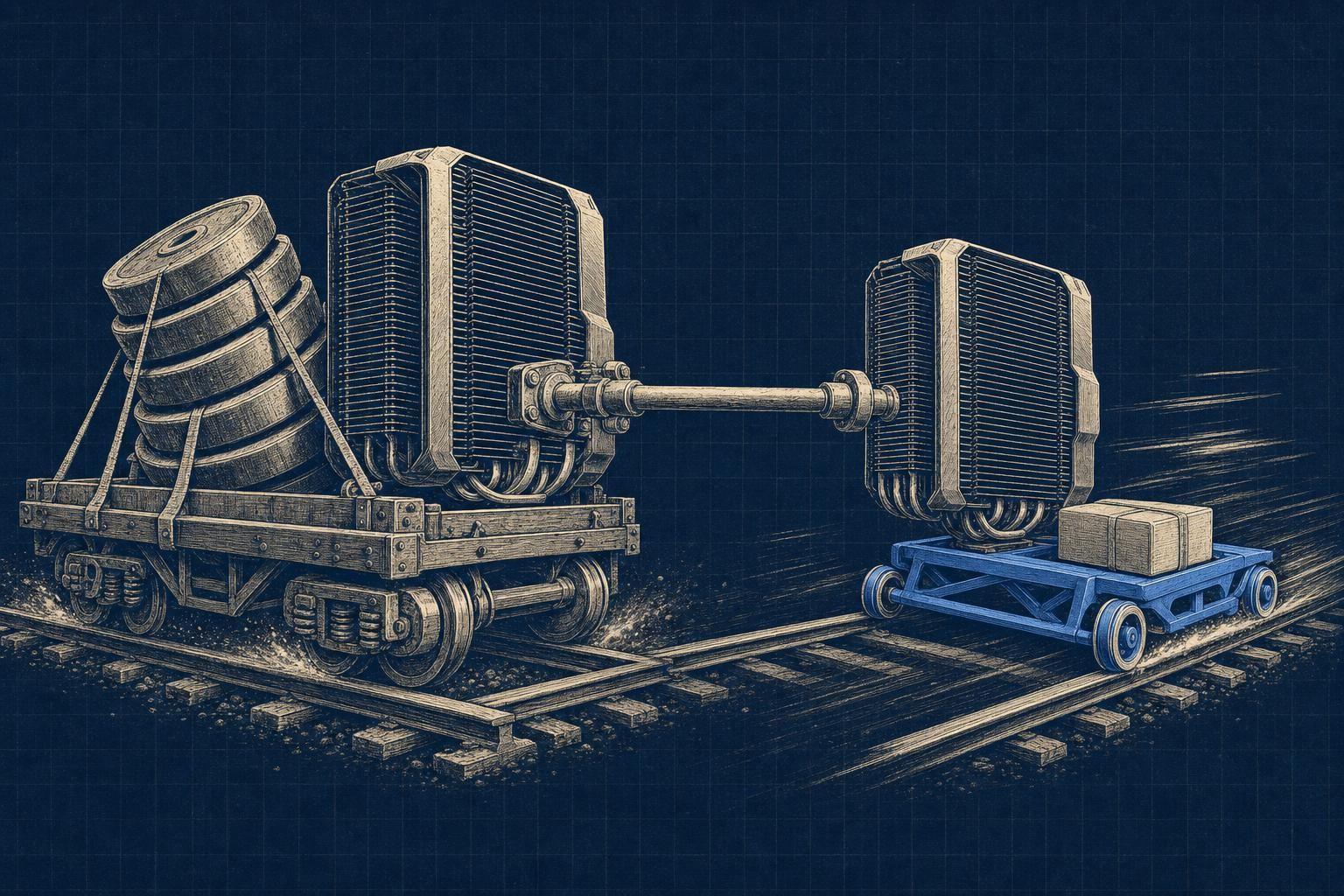
A cluster of four A100s approved for a training run can sit mostly idle once the model ships and starts serving real traffic. Procurement rarely budgets for the fact that gpu inference vs training are two completely different jobs wearing the same silicon. Training wants every byte of memory bandwidth it can scrape together for a giant batch; inference wants low latency for single requests arriving unevenly all day, and a card chosen for the first job is usually overkill for the second.
That mismatch is the whole article in miniature: pick hardware for the job you're actually running, not the one you ran last quarter.
Quick answer
Training needs maximum memory bandwidth and compute throughput to process huge batches across many GPUs for hours or days, favoring cards like the H100 or A100 with high-precision math and fast interconnects. Inference needs memory for weights plus KV cache, fast single-request latency, and efficient batching, which often favors cheaper cards, quantized precision, or CPUs for small models. The right pick depends on request patterns and service-level targets, not raw FLOPS.
GPU inference vs training: what each workload demands
Training is the loop that updates model weights: forward pass, loss calculation, backward pass, optimizer step, repeat for millions of batches. Every step touches gradients, activations, and optimizer state, which is why training clusters need aggregate compute, huge memory capacity, and fast interconnects between GPUs so gradient sync doesn't stall the whole job.
Inference is just the forward pass - feed in tokens, get predictions or new tokens out, weights stay fixed. But "just" undersells it. Inference splits into two very different phases: prefill, which crunches the whole prompt at once and is compute-heavy like a mini training step, and decode, which generates one token at a time and is bottlenecked by memory bandwidth, not raw FLOPS.
That split means inference hardware needs vary wildly by traffic pattern - a chatbot with short prompts and long generations behaves nothing like a document-summarization endpoint. Don't confuse this with fine-tuning or KV cache optimization tricks that still involve weight updates or gradient tracking. Parameter-efficient fine-tuning still needs training-grade memory headroom, even if it looks lightweight on paper.
Training GPU vs inference GPU: a side-by-side decision table
"Training GPU" and "inference GPU" aren't fixed product tiers - they're workload labels. An H100 can serve inference all day, and plenty of teams fine-tune small models on inference-class cards. The difference is economics: paying training-grade premiums for an inference job that never touches multi-GPU interconnects just burns budget. Published model economics blur the same line, which is why a headline training-run figure tells you almost nothing about what serving that model costs per token.
| Criterion | GPU training | GPU inference |
|---|---|---|
| Primary operation | Forward + backward pass, gradient updates | Forward pass only |
| Memory needs | Weights + activations + optimizer state | Weights + KV cache |
| Bandwidth sensitivity | High, sustained | High during decode, bursty |
| Compute precision | FP16/BF16, sometimes FP32 | FP8/INT8 or quantized |
| Batching | Large, fixed batches | Dynamic, variable-size |
| Latency | Irrelevant | Critical (per-token) |
| Throughput | Tokens/sec across cluster | Requests/sec per node |
| Interconnect | NVLink/InfiniBand essential | Rarely needed |
| Utilization | Near-constant during job | Peaky, traffic-dependent |
| Scaling approach | Scale-out across nodes | Scale-out replicas or autoscaling |
| Cost metric | $/training run | $/million tokens served |
Multi-GPU interconnects like NVLink justify their cost when a model doesn't fit on one card and needs tensor parallelism for latency reasons - otherwise you're paying for bandwidth inference traffic never uses.
GPU memory for LLM inference: weights, KV cache, and headroom
Training memory stacks weights, gradients, and optimizer states on top of activations. Work the arithmetic for a 7B model trained with Adam: weights in BF16 cost 2 bytes per parameter, gradients in BF16 add another 2 bytes, and two FP32 optimizer moment tensors add 8 bytes combined. That totals 12 bytes per parameter before activations even enter the picture - inference skips gradients and optimizer state entirely, but it isn't just "weights and done."
Inference VRAM breaks into model weights, KV cache, runtime workspace, batching overhead, and a safety margin you'll wish you'd kept. That same 7B model in FP16 needs roughly 14GB for weights alone, before any KV cache gets allocated.
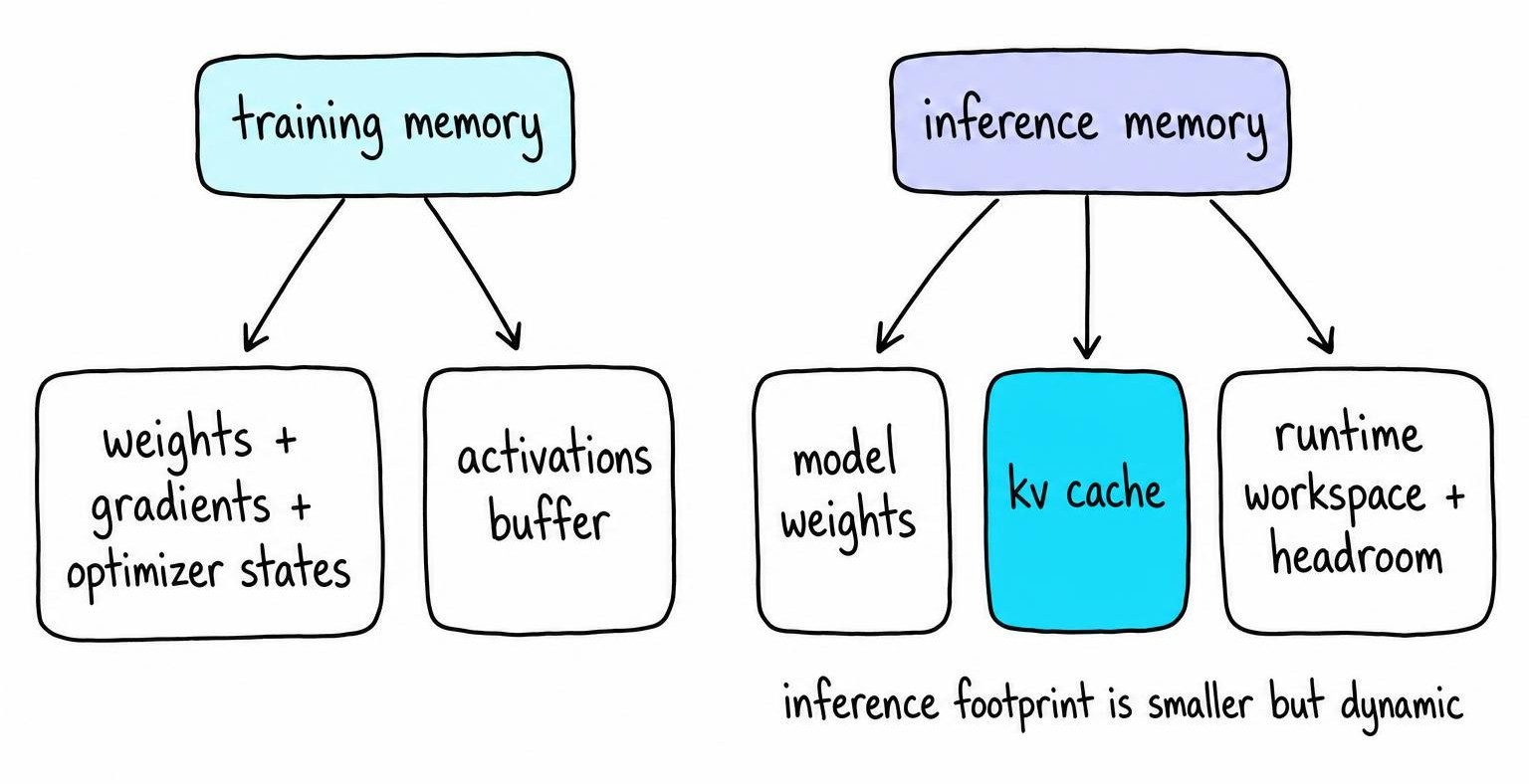
That KV cache is the part that surprises people, because it grows with context length, batch size, and concurrent sequences - not with model size. Long-context or high-concurrency workloads can dwarf the weight footprint, especially at higher KV precision.
When a model won't fit on one card, tensor parallelism splits weights across GPUs for low latency, pipeline parallelism splits by layer, and CPU or NVMe offloading trades latency for capacity when neither fits your budget.
Compute precision and bandwidth change the winning GPU in gpu inference vs training
Here's the one precision call that matters most before you worry about the rest: training needs numerically stable math because gradients accumulate error across millions of steps, so most teams keep master weights in FP32 or TF32 and run the forward/backward pass in BF16. Get that wrong and the model either diverges or trains so slowly it isn't worth the GPU-hours.
Inference doesn't carry that risk, because there's no backward pass to corrupt. That's why quantization down to FP8 or INT8 - sometimes 4-bit - works fine for serving, trading a small quality hit for a real gain in memory footprint and bandwidth headroom.
Prefill behaves like training: compute-bound, FLOPS-hungry, happy on a card with big tensor cores. Decode is the opposite - memory-bandwidth-bound, one token at a time, waiting on HBM to feed the next matrix-vector multiply.
That's why advertised FLOPS or TOPS numbers mislead buyers: a card with huge peak compute but mediocre bandwidth will still bottleneck on decode. Before buying, check that your framework and GPU architecture actually support the quantized kernel you plan to run in production, not just in a benchmark script.
Inference latency vs throughput: reading GPU benchmarks correctly
Every inference benchmark hides five different numbers behind the word "fast": time to first token, inter-token latency, tokens per second, requests per second, and end-to-end latency. Time to first token tells you how long a user stares at a blank screen; inter-token latency tells you whether the stream feels smooth once it starts.
A serving dashboard can report great tokens-per-second numbers while users complain that the chat "freezes" mid-response. Average throughput stays fine because the stalls come from a handful of long generations queue-jumping shorter ones under continuous batching, and per-user waits of that kind never show up in the aggregate number.
Continuous batching is the trick that makes GPU inference economical - it packs new requests into in-flight batches instead of waiting for a slot. It boosts throughput nicely, but it also means your request can get queued behind someone else's long generation, so tail latency creeps up exactly when raw tokens-per-second looks great on a dashboard.
Two benchmarks are comparable only if model, precision, prompt length, output length, batch policy, and concurrency all match - vendors rarely disclose more than two or three of these. Measure p50, p95, and p99 latency alongside throughput, power draw, memory footprint, and cost per successful request, not just an average.
A sane protocol: warm up the GPU, replay representative prompts at steady-state concurrency, and re-run quality checks after any quantization change before trusting the numbers.
GPU inference optimization: improve utilization before upgrading
Before you ask procurement for a bigger card, profile the thing you already own. A serving stack that looks GPU-starved is often bottlenecked somewhere else entirely: a Python tokenizer running single-threaded on the CPU starves the GPU between batches, and no amount of extra VRAM fixes that. A faster tokenizer and batched preprocessing do.
Software fixes usually beat hardware upgrades. The three I reach for first: continuous batching, because it keeps the GPU fed instead of idling between requests; paged or prefix-cached KV memory, because it stops long contexts from fragmenting VRAM; and quantization, because it shrinks both the weight footprint and the bandwidth decode needs per token. Stack those three and you often reclaim more headroom than a GPU generation jump would buy.
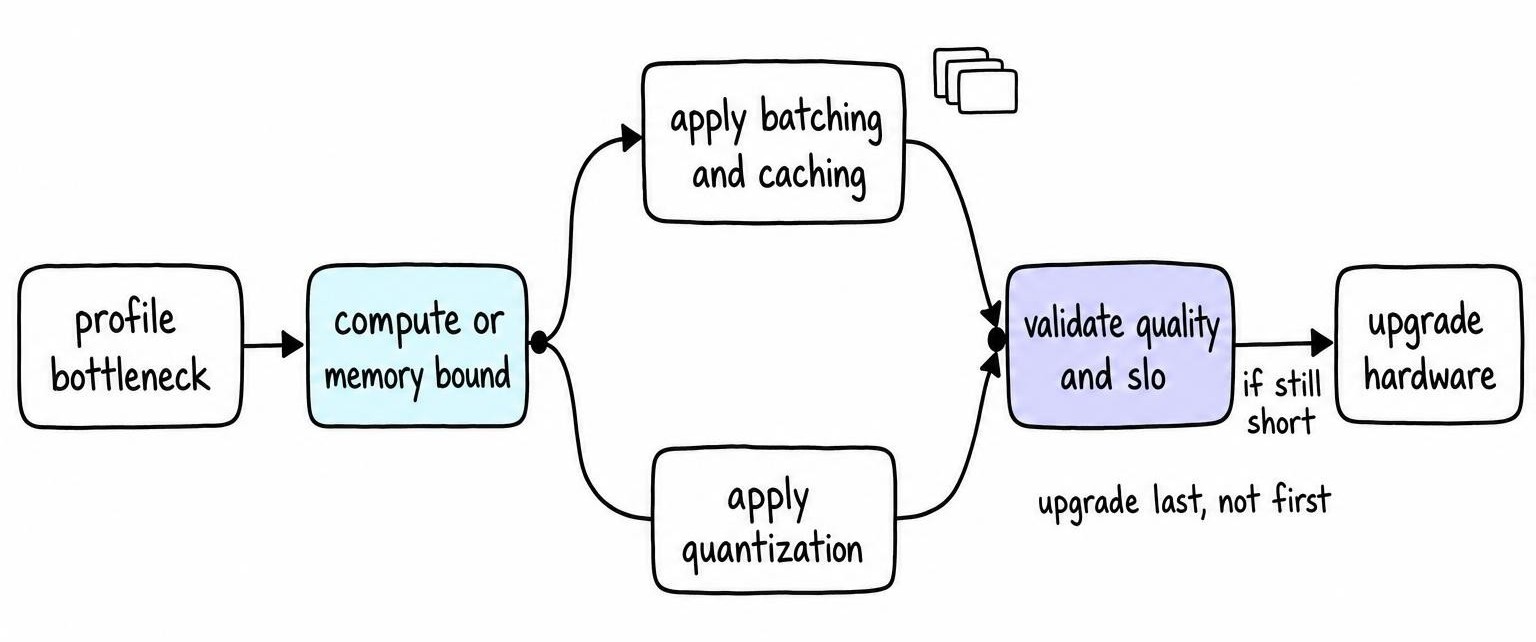
Bigger batches raise throughput only until they blow your latency budget or exhaust KV-cache capacity - past that point you're trading user experience for a vanity metric. Production also hides problems benchmarks smooth over: uneven request lengths, cold starts, memory fragmentation from long-running servers, autoscaling lag, and GPUs sitting idle overnight. Re-check output quality and service-level objectives after every change - a faster server that silently degrades answers isn't an optimization.
AI inference GPU vs CPU - and where NVIDIA NIM fits
GPUs win when the model is large, requests arrive fast and concurrently, or latency targets are tight - parallel matrix math is the whole point of the hardware. CPUs earn their keep on small quantized models, embedding lookups, batch scoring jobs, or anything where a few hundred milliseconds of extra latency doesn't cost you a user. If you're running a handful of requests an hour against a distilled classifier, a GPU sitting mostly idle is money burned; that's the same logic behind why agentic AI still needs CPUs for orchestration and light inference work.
"NVIDIA inference" isn't a distinct computation - it's shorthand for running inference on NVIDIA GPUs through their serving stack. NVIDIA NIM packages optimized runtimes, model configs, and serving APIs as deployable microservices; NVIDIA positions this as a way to cut deployment time versus hand-rolling a custom engine. I'd reach for NIM on standard model families when deployment time matters more than squeezing out the last bit of throughput, and hand-roll a vLLM stack when the model or batching policy is nonstandard enough that a packaged runtime fights you more than it helps.
Size an LLM inference GPU by service level and total cost
Start sizing from the workload, not the catalog. Pin down model size, precision, context window, typical input/output lengths, expected concurrency, and your latency service-level objective before opening a spec sheet.
From there, estimate weight memory, then peak KV-cache demand at your worst-case concurrency and context length - that peak, not the average, is what decides whether you fit on one card. I plan for roughly a fifth of VRAM as slack on top of that, as a working default rather than a hard rule. Without that slack, a traffic spike pushes concurrent sequences past what the KV cache can hold and the server throws out-of-memory errors mid-stream, dropping live requests until the batch cap comes down.
Take benchmark throughput at your target latency and divide into required requests-per-second to get replica count, then pad for redundancy, traffic spikes, maintenance windows, and autoscaling lag - the last replica always spins up too slowly for the spike that needed it.
Compare options on cost per million tokens or cost per request, factoring power draw, engineering overhead, and achieved utilization, not the theoretical peak on a vendor slide. A checklist that holds up before you sign off on hardware:
- Memory fit at peak concurrency and context length, not average load
- Benchmark validity for your exact prompt shape and output length
- Tail latency (p95/p99) under realistic concurrent traffic
- Software stack compatibility with your chosen quantization and kernels
- Scaling topology - single card versus tensor-parallel versus multi-node
- Hardware availability and lead time
- Budget measured in cost per token or cost per request, not sticker price
Don't buy NVLink for a single-GPU inference box, and don't undersize VRAM and paper over it with slow CPU offload.
FAQ
What is GPU inference?
GPU inference is running a trained model's forward pass on a GPU to produce predictions or generated tokens, without updating any weights. The GPU parallelizes the matrix multiplications behind each prediction, which is why it beats CPUs on large models but can be overkill for small, low-traffic ones.
What is NVIDIA inference?
NVIDIA inference refers to running inference workloads on NVIDIA GPUs using their software stack - CUDA, TensorRT, and serving frameworks like Triton or NIM. It's not a different computation from inference on any other GPU vendor; it's the specific hardware and tooling combination NVIDIA sells around that workload.
What is NVIDIA Inference Microservices (NIM) designed for?
NIM is designed to package pre-optimized model runtimes, configs, and APIs as deployable containers, so teams can serve common model architectures without hand-building a custom inference engine. It trades some flexibility for faster time-to-deploy, working best on standard model families rather than heavily customized architectures.