Why Agentic AI Needs CPUs: Cost-Efficient Architecture
Swarnava Dutta11 min read
Agentic AI Cpu RequirementsAgentic AI InfrastructureCpu vs GPU For AI Agents
Contents
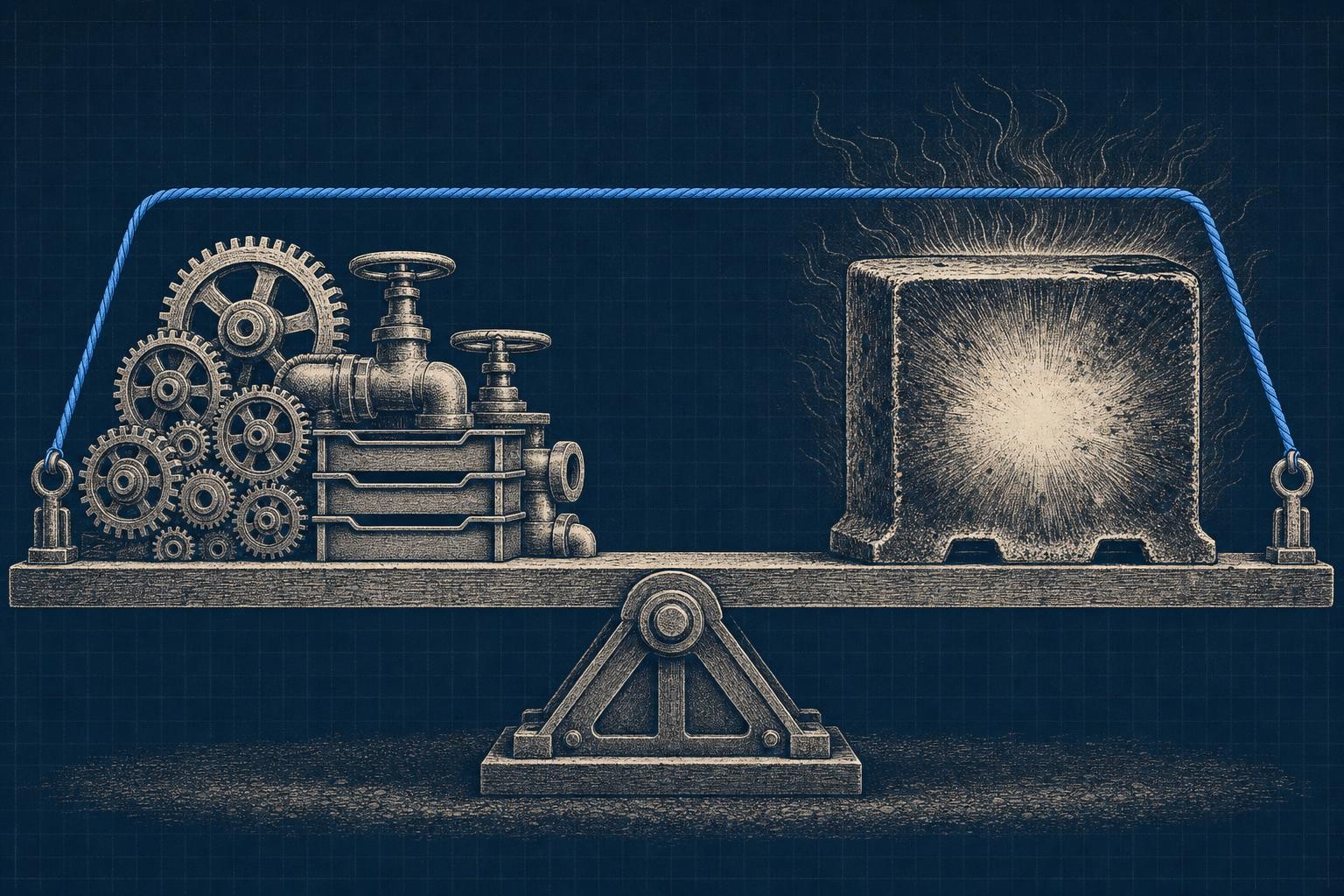
Doubling a GPU fleet to fix an agent pipeline assumed to be inference-bound is a common and expensive mistake. The p99 latency graph does not move, CPU stays pinned on every orchestration node, and the new GPUs sit mostly idle. The work around the model call is what saturates: JSON parsing, retrieval requests, tool invocations, memory lookups, and guardrail checks, all fighting for cores on boxes sized like glorified prompt routers.
That mismatch is what the vendor pitch decks don't mention: Why Agentic AI Needs CPU isn't a niche architecture question, it's the thing that decides whether your infrastructure bill matches your traffic or quietly triples it. A single chat completion is mostly matrix math on an accelerator. An agent loop is a distributed system wearing a trenchcoat - planning steps, chaining tool calls, hitting a vector store, serializing state, enforcing policy - and almost none of that touches a GPU at all.
This piece walks through where CPU load actually comes from in agentic systems, how to size it against your GPU fleet, and how to model the cost tradeoffs before you're the one explaining a flat latency graph to your boss.
Quick answer
Agentic AI needs CPUs because every agent loop stage except the model call runs on CPU, including planning, retrieval, tool execution, and guardrails. On a 200ms forward pass, three sequential tool calls at roughly 1 second each, plus retrieval and guardrail overhead, stretch the loop past 4 seconds. CPU sizing follows p95/p99 burst concurrency, not the daily average, because an undersized CPU tier queues retrieval calls and starves accelerators.
Why Agentic AI Needs CPU: How the Agent Loop Works
Agentic AI is a goal-directed system: it reasons about a task, picks an action, executes it through a tool, observes what came back, and updates its own state before deciding the next move. That's fundamentally different from a model that just answers a prompt once and forgets everything. Trace one request through a real agent and you'll see planning logic pick a strategy, a retrieval call hit a vector store, the model generate a step, a tool executor run code or hit an API, memory get written back, a guardrail validate the output, and a response assembler stitch it all together.
Every one of those stages except the model call runs on CPU. Multiply that by however many loop iterations the agent needs to finish the task, and you've turned one GPU-bound inference into a dozen CPU-bound steps.
Generative AI vs. Agentic AI Workflows
Generative AI is one-shot: prompt in, tokens out, done. Agentic workflows add retries, branching, and reflection steps that critique prior output - each one stacking more orchestration work onto CPU, not GPU.
Agent Types and Their Infrastructure Patterns
Reactive agents are cheap and stateless. Planning and tool-using agents burn CPU cycles on search and execution, retrieval-augmented agents lean on indexing infrastructure, and multi-agent systems multiply all of it across concurrent conversations, per our how AI voice agents work breakdown of orchestration-heavy real-time systems. The pattern you pick determines whether your CPU tier or your GPU tier hits its ceiling first.
CPU vs. GPU for AI Agents: Why Agentic AI Needs CPU at Every Stage
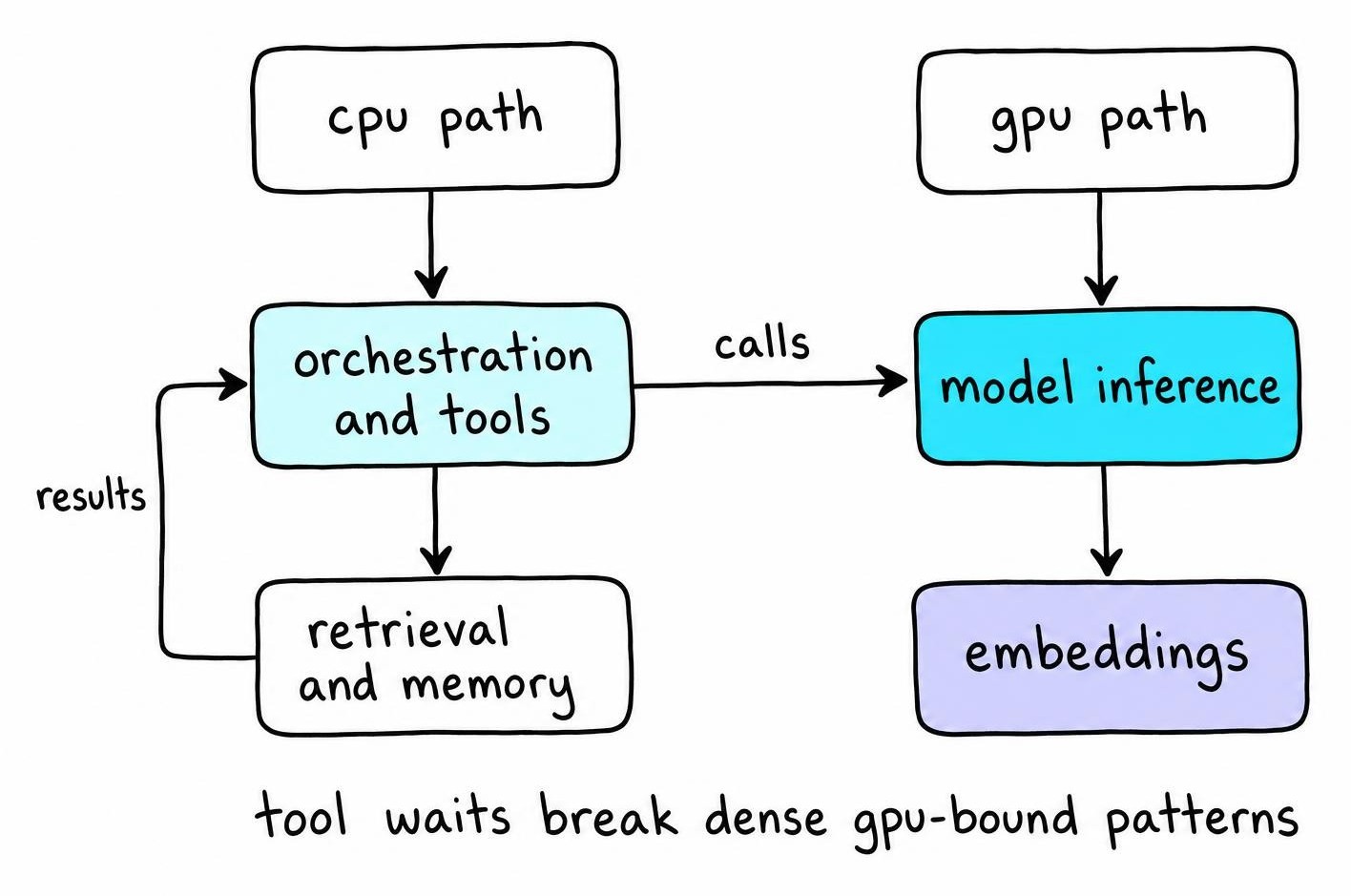
The clean way to think about placement: GPUs handle dense, parallel math; CPUs handle everything branchy, sequential, or I/O-bound. Transformer inference, embedding generation, and any batched tensor operation belong on the accelerator - that's where the parallelism pays off. Orchestration, API handling, tokenization, serialization, retrieval logic, and most tool execution belong on CPU cores, full stop.
Agents don't behave like training jobs. A training run keeps the GPU saturated with dense matrix multiplies for hours at a stretch. An agent spends a good chunk of its wall-clock time waiting on a tool call, a database round-trip, or a rate-limited API - irregular control flow that never fills a GPU pipeline even if you throw more accelerators at it.
GPU-Bound Stages: Model Inference and Embeddings
Forward passes and embedding lookups are the parts that genuinely need high-bandwidth memory and parallel cores. As a worked example: on a 200ms forward pass, with three sequential tool calls at roughly 1 second each plus retrieval and guardrail overhead, the full loop stretches past 4 seconds - the model compute is a sliver of that, and no amount of extra GPU capacity shrinks the rest.
CPU-Bound Stages: Retrieval, Tools, Memory, and Networking
A handful of stages account for most of the CPU load in a typical agent turn:
- Vector database queries and reranking
- Document parsing and sandboxed code execution
- TLS termination, decompression, and structured logging
- JSON or protocol serialization on every tool response
Individually each async task looks trivial; run a few hundred concurrently and they'll pin every core on the box.
Calculate Agentic AI CPU Requirements From Concurrency
Forget "how many CPUs per GPU" - that ratio doesn't survive contact with a real workload. Start from arrival rate: requests per second times average steps per task times CPU-seconds per step, divided by your target utilization.
I keep enough headroom below full utilization that a retry storm or a garbage-collection pause can't tip the box over. CPU sized off average request volume ignores the fan-out from parallel tool calls, so on a retrieval-heavy tool an afternoon of doubled traffic sends queue depth climbing and latency straight after it, even while the dashboard's average CPU number still looks comfortable. The average lies in that situation; the tail doesn't.
Tool fan-out multiplies fast. An agent that calls three tools per step, each spawning a retrieval query and a parser, turns one logical request into a dozen concurrent CPU-bound tasks.
- Size for p95/p99 burst concurrency, not the daily average - bursts are when retries, garbage collection pauses, and background reindexing jobs all collide.
- Benchmark actual agent traces, not isolated model calls - record model, tool count, concurrency level, thread pool size, and latency target together, or the number means nothing later.
- Watch queue depth and run-queue wait time, not just CPU percentage - a box can sit at a comfortable-looking utilization and still be starving threads.
- CPU throttling and tool-service saturation are usually the real culprit when GPUs look idle but latency won't budge.
Run these numbers before you buy hardware, not after your p99 graph flatlines.
Memory, Tool Sandboxing, and LLM Guards Add Hidden CPU Load
Nobody sizes for security until it's the thing eating their headroom. Every agent turn should pass through prompt filtering, output moderation, a policy engine checking tool permissions, an auth check, and an audit log write - five CPU-bound stages before the model even runs, exactly the kind of layered check that how LLM guardrails work maps out. None of that shows up on a GPU dashboard, but it shows up on your latency budget.
Untrusted tool execution needs isolation, and isolation isn't free. Spinning up a fresh microVM per tool call at moderate concurrency grinds a box to a crawl: sandbox startup overhead alone competes with live requests for cores, and GPU metrics hint at none of it. Finding that takes strace on the orchestration process rather than a model profiler, because the CPU is drowning in sandbox teardown, not inference.
Memory itself is infrastructure, not a side effect. Retrieval, summarization, reindexing, and state persistence run continuously in the background, competing with live requests for the same cores. Load-test with guards, sandboxes, and memory writes turned on - sizing without them just guarantees a second, angrier capacity review after launch.
Rack-Level Performance, Density, and Platform Choice
Per-socket benchmarks lie to you at scale. What matters is throughput per rack: how many concurrent agent sessions you can run inside a fixed power and space budget, once you account for memory bandwidth, network capacity, and how many servers actually fit before you trip the power envelope.
Core count alone tells you almost nothing. An agent workload leans hard on memory capacity for concurrent context windows, I/O lanes for storage-backed retrieval, and network throughput for constant chatter with vector stores and tool APIs. On retrieval-heavy workloads, memory bandwidth often matters more than raw core count. A chip with fewer cores but more bandwidth headroom can hold queue depth lower than a part with more cores and a tighter memory ceiling. Test with mixed-service benchmarks that resemble your actual stack: retrieval queries, tool sandboxes, and orchestration threads running concurrently, not a synthetic single-threaded loop.
How to Evaluate AMD EPYC and Other CPU Platforms
Compare platforms on measured agent throughput, watts per completed task, and total rack capacity - rack-scale CPU performance for agentic workloads is exactly the framing behind AMD's push on EPYC for agentic AI [1]. Push vendors for reproducible methodology, not marketing slides. Weigh software compatibility, driver maturity, and your team's operational familiarity against raw benchmark leadership - the fastest chip on paper isn't worth much if your ops team burns a quarter debugging it.
Balance CPU-GPU Resource Allocation to Prevent Idle Accelerators
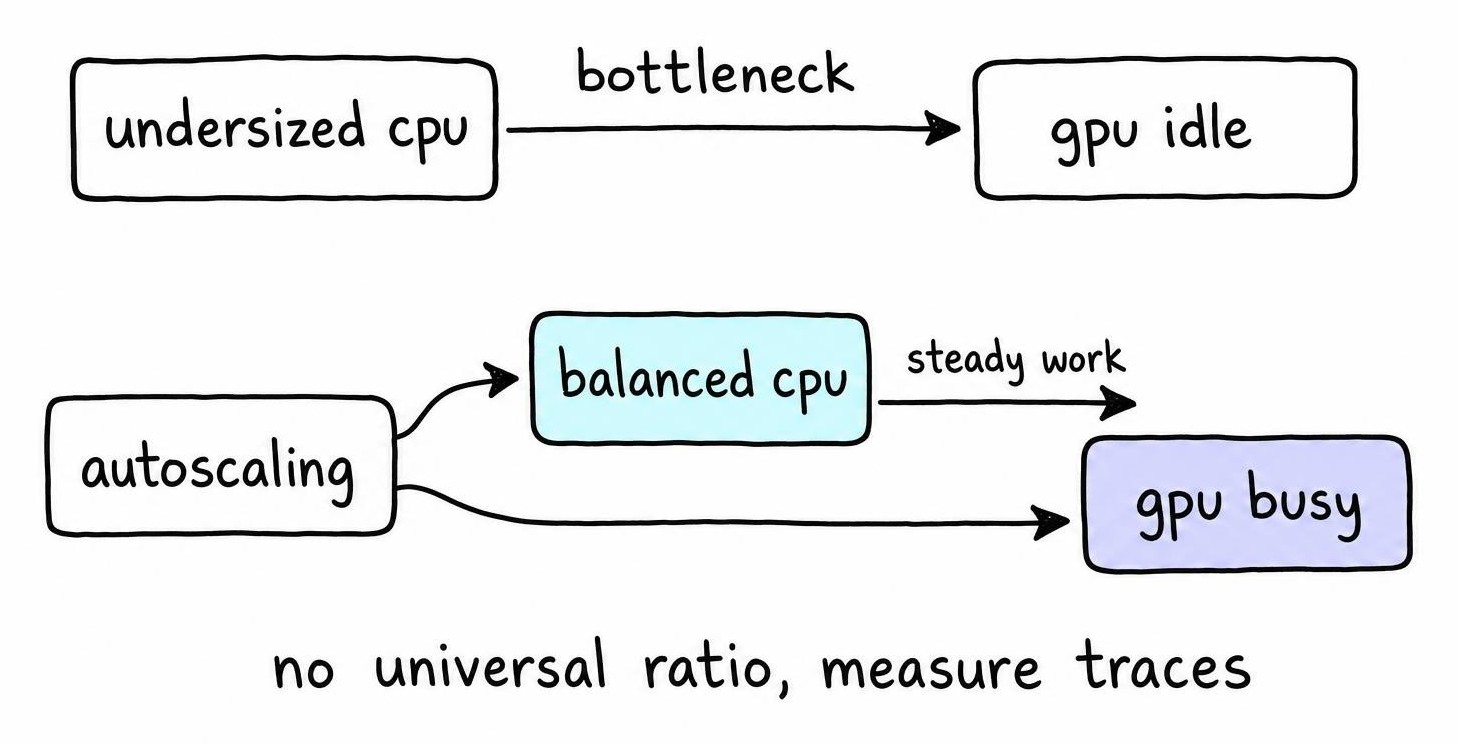
A GPU sitting mostly idle isn't a mystery, it's a symptom. Somewhere upstream, an undersized CPU tier is queuing retrieval calls, parsing tool responses, or waiting on a rate-limited API, and the accelerator has nothing to chew on. Throwing more GPUs at that picture just buys you more idle silicon.
Split orchestration, inference, retrieval, and tool execution into separately scalable services once traffic patterns diverge enough to justify it - a burst of tool-heavy sessions shouldn't force you to scale your inference fleet too.
A few levers raise utilization without blowing latency budgets:
- Batch inference requests where the model service can tolerate a few milliseconds of queuing.
- Run tool calls and retrieval asynchronously so the agent loop doesn't block a thread waiting on I/O.
- Add backpressure and caching so a slow downstream tool doesn't cascade into GPU starvation.
- Autoscale CPU and GPU tiers independently, driven by their own queue depth, not a shared knob.
Skip the universal ratio. Derive CPU-to-GPU sizing from your own agent traces - model choice, tool mix, and concurrency all shift the number.
Model Agentic AI Inference Costs End to End
Cost per token is a vanity metric for agentic systems. What you actually pay for is cost per completed task, and that number includes:
- CPU orchestration time and GPU inference time
- Memory, storage, and vector search calls
- Network transfer and tool API fees
- Retries and observability overhead
- Idle capacity you're paying for whether or not it's busy
A "cheap" model endpoint can still produce an expensive agent. As a worked example: assume a task needs six loop iterations with three tool calls per iteration - that's eighteen tool invocations before you even count retries. Assume, further, that some fraction of those calls hit a flaky upstream API and need a retry; even a modest retry rate adds a meaningful chunk of orchestration work and GPU time spent on attempts that never produced a useful answer. None of that shows up if you're only pricing the model endpoint.
Compare architectures on outcomes, not sticker price: throughput, success rate, p99 latency, and cost per successful task. A slower, cheaper stack that finishes almost every task beats a fast one that fails often enough to burn its savings on retries.
Agentic AI Cost Optimization: A Deployment Checklist
Before you sign a purchase order, run this list against your actual stack.
- Profile a full agent trace end to end. Tag every stage - CPU orchestration, GPU inference, memory lookups, disk I/O, external API calls - and find out which one is actually saturated before you buy more of anything.
- Set hard limits, not aspirations. Define SLOs per task type, cap loop depth so a confused agent can't spiral into twenty retries, and route simple classification or extraction tasks to smaller models or CPU-only inference instead of your flagship GPU endpoint.
- Load-test with everything turned on. Guardrails, memory writes, retrieval, and tool sandboxes all add latency and CPU load that a bare model benchmark will never show you.
- Track the right metrics after launch. GPU duty cycle, CPU utilization and queue time, tool latency, tokens per completed task, task success rate, and - the one that actually matters - cost per successful task, not cost per token.
Skip any of these and you'll rediscover them the hard way, usually during an incident review.
FAQ
What is agentic AI, actually?
An agentic AI is a system that pursues a goal across multiple steps instead of answering a single prompt. It plans, calls tools, observes results, and updates its own state before deciding what to do next. That loop - plan, act, observe, repeat - is what separates an agent from a chatbot.
Is ChatGPT an agentic AI?
By default, no - a plain chat completion is one-shot generative AI, prompt in, tokens out. Give it tool use, memory, and the ability to chain multiple actions toward a goal, and you've turned it into an agentic system. Most "ChatGPT with plugins" or browsing setups edge into agentic territory the moment they loop.
What's the difference between generative AI and agentic AI?
Generative AI produces output from a prompt and stops. Agentic AI wraps that generation in a control loop - planning, tool calls, retries, memory writes - that keeps running until a task is actually done. That extra loop is exactly why agentic workloads carry so much more CPU overhead than a single inference call.
What are the different types of AI agents?
Common patterns include reactive agents (stateless, single-step), planning agents (multi-step reasoning), tool-using agents (call external APIs or code), retrieval-augmented agents (query a knowledge base before answering), and multi-agent systems (multiple agents coordinating on a shared task). Each pattern shifts the CPU-to-GPU balance differently, with multi-agent and tool-heavy setups demanding the most orchestration capacity.
Further Reading
- Evaluating the impact of the L3 cache size of AMD EPYC CPUs on the performance of CFD applications - Marcin Lawenda, Łukasz Szustak, László Környei et al. (2025)
- Performance Investigation of Virtual Private Networks with Different Bandwidth Allocations - Mahalakshmi Chidambara Natarajan, Ramaswamy Muthiah, Alamelu Nachiappan (2010)